The core principle of the DRMtoday licensing system is that when a user triggers a
license request, your backend must provide a Customer Rights Token (CRT)
to DRMtoday. This token dictates whether the user is allowed to receive a license and
specifies the parameters the license should contain. Without this authorization,
DRMtoday will not issue a license.
With Token Authorization (also called Upfront authentication,
mode value UPFRONT), your backend embeds the CRT inside a signed JWT and
delivers it to the player before the license request reaches DRMtoday. The player
then sends that JWT in the x-dt-auth-token header — DRMtoday verifies the
signature and issues the license without calling your server again.
Operational workflow
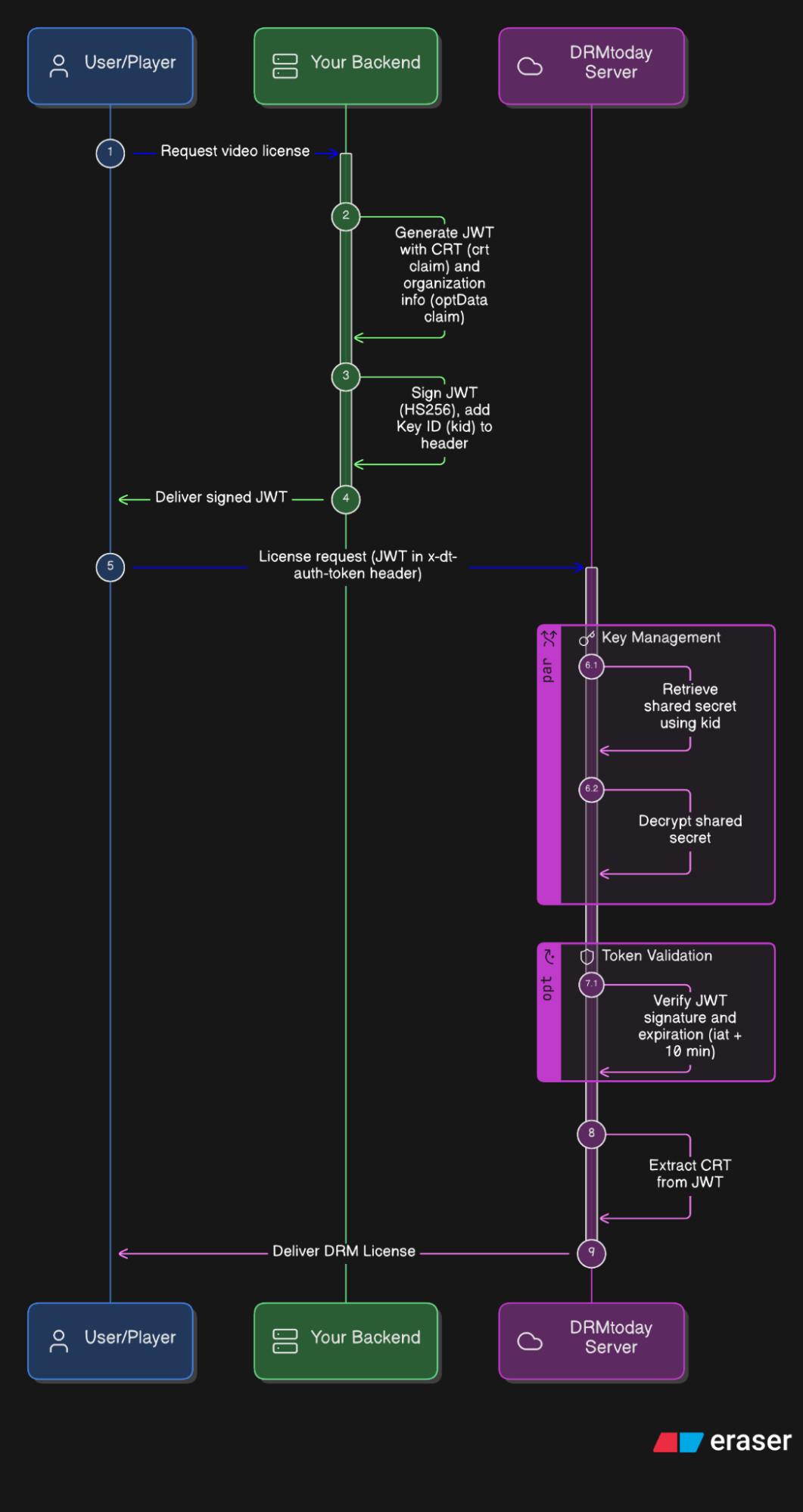
Token Authorization flow — from license request to DRM license delivery.
Request video license — The player asks your backend whether the user may watch the content.
Generate & sign JWT — Your backend builds the payload and signs it with the shared secret (see Signing and delivering the JWT).
Deliver signed JWT — Your backend returns the JWT to the player over your own authenticated channel (API, session, etc.).
License request — The player sends a license request to DRMtoday with the JWT in x-dt-auth-token.
Validate & issue — DRMtoday verifies the signature and expiry, then issues the DRM license (see Security guarantees).
Signing and delivering the JWT
Only your backend holds the shared secret. The player never sees the secret — it only
receives the finished JWT string. This is the trust boundary that prevents clients from
forging their own authorization.
1. Build the JWT header and payload
Your backend assembles a JSON Web Token (RFC 7519) with two parts:
Header — identifies the signing algorithm and which secret DRMtoday should use:
Base64url-encode the header JSON and payload JSON.
Concatenate them with a dot: signingInput = headerSegment + "." + payloadSegment.
Compute HMAC-SHA256(signingInput, sharedSecretBytes) where
sharedSecretBytes is the 32-byte (or 64-byte) key decoded from your hex
secret (SHARED_SECRET_HEX).
Base64url-encode the HMAC output as the third segment.
Because HMAC requires the secret key, no party without the secret can produce a valid
signature. The player receives only the final string — for example:
Your backend returns the signed JWT to the player through your own API (e.g. after the
user logs in or purchases content). The player stores it temporarily and attaches it to
the DRM license request as:
x-dt-auth-token: <signed JWT>
The shared secret itself never leaves your server. Even if a user inspects network
traffic, they only see the JWT — not the key used to create it.
Why DRMtoday trusts this token: The valid HMAC signature proves the
payload was created by a party that holds the same shared secret registered in the
portal. Since only your backend and DRMtoday possess that secret, a correctly signed
token is cryptographic proof that your backend authorized this specific playback
request.
Security guarantees
The signing and validation flow above creates a secure chain from your business logic
to the delivered DRM license:
Threat
How Token Authorization mitigates it
User bypasses payment / entitlement checks
Player cannot self-issue a token. Only your backend signs JWTs after applying your own authorization logic.
User forges or modifies the JWT
HMAC signature breaks if any byte of header or payload is changed. DRMtoday rejects unsigned or tampered tokens.
Stolen JWT reused indefinitely
Short TTL (~10 min from iat) and unique jti limit the replay window.
Shared secret exposed to the client
Secret stays on your server and in DRMtoday portal only. The player receives the signed output, not the key.
License issued with excessive rights
CRT embedded in the signed payload defines exact playback constraints. Tampering invalidates the signature.
Wrong organization's secret used
kid in the header ties each token to a specific registered secret. Mismatched kid fails lookup.
In summary: your backend is the authorization authority (who may
watch), the shared secret is the trust anchor (proof the decision came
from you), and DRMtoday is the enforcement point (cryptographically
verifies the proof before decrypting content). The video resource remains protected
because decryption keys are only released when all three parts align. See also
Callback Authorization for the alternative
real-time callback model.
Comparison with Callback Authorization
Feature
Token Authorization
Callback Authorization
Primary flow
Player → Backend → Player → DRMtoday
Player → DRMtoday → Backend → DRMtoday
Required header
x-dt-auth-token
x-dt-custom-data
CRT delivery
Embedded in signed JWT (crt claim)
Returned by your backend in callback JSON
Security model
JWT signature with shared secret (HS256)
Real-time session validation on your server
Register or retrieve the shared secret
Before enabling Token Authorization, register a shared secret in the DRMtoday portal.
Your backend uses this secret (identified by kid) to sign JWTs that
DRMtoday will verify during license delivery.
Navigate to Token authorization
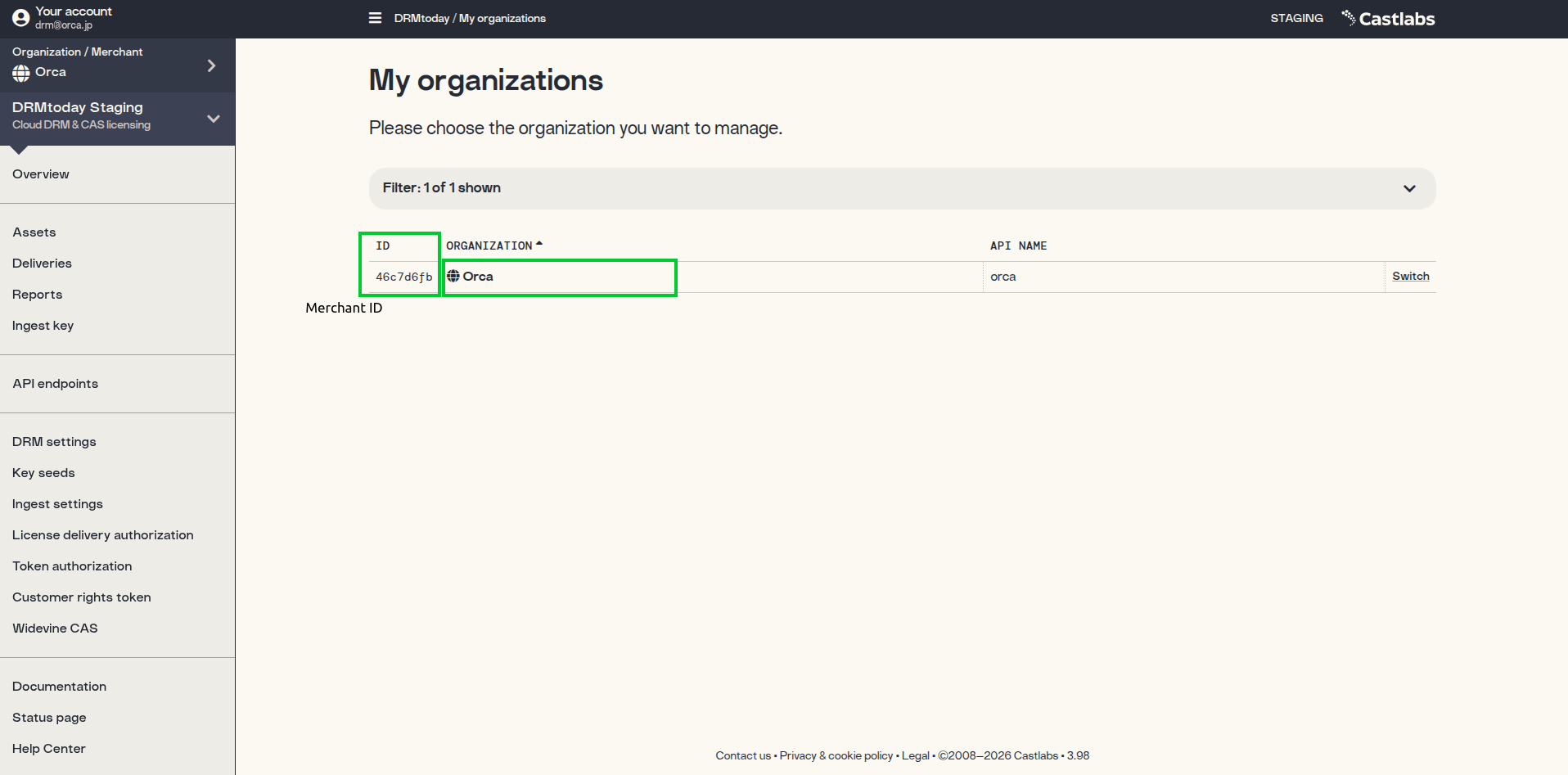
Sign in to the DRMtoday dashboard and switch into your organization (see
Using the CastLab GUI for sign-in steps).
In the left sidebar, click Token authorization.
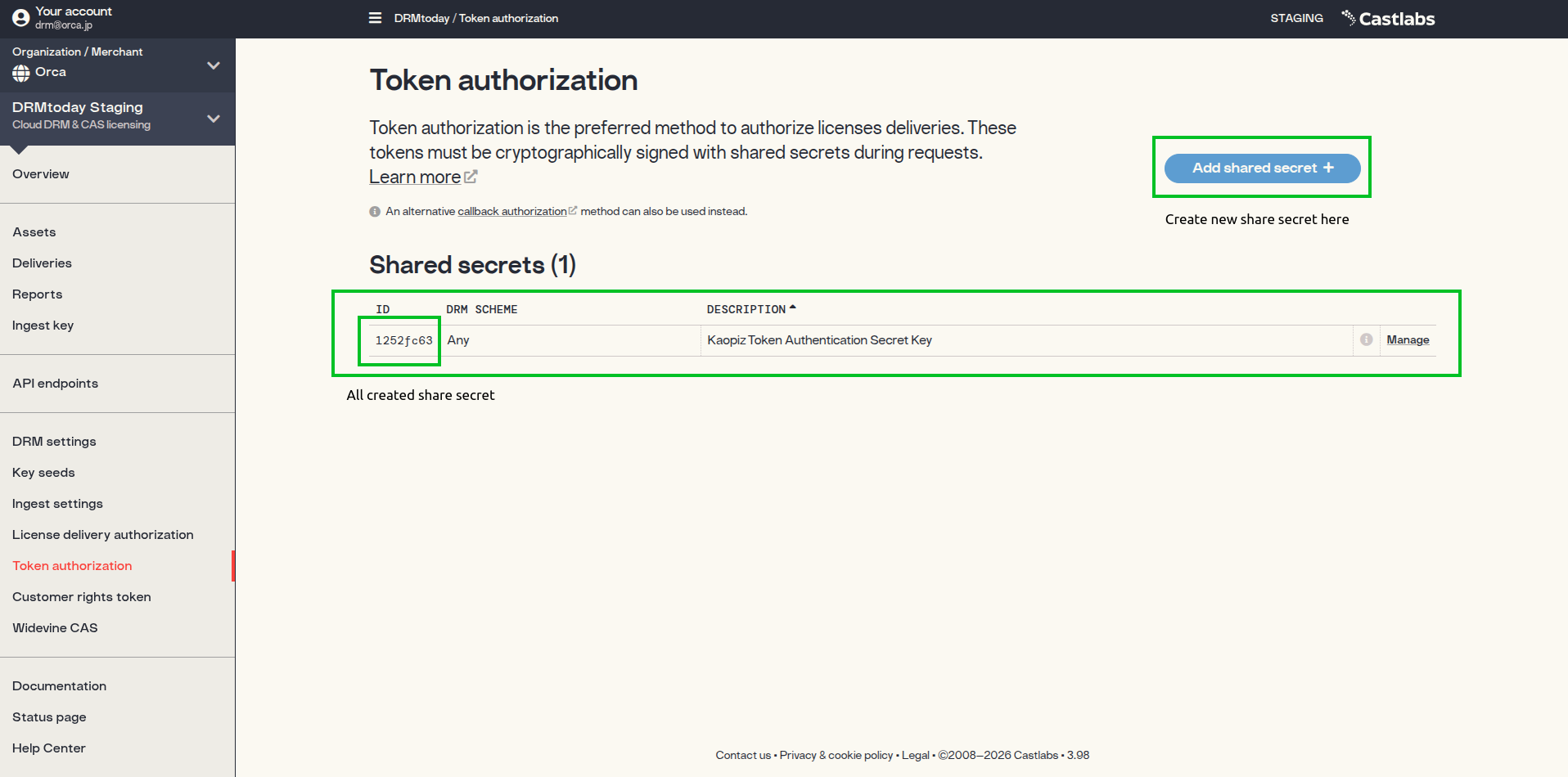
Existing secrets are listed in the Shared secrets table — use
Manage to view details. Copy the ID column as
SHARED_SECRET_KID.
Token authorization — list of shared secrets. Copy the ID as
SHARED_SECRET_KID.
Create a new shared secret
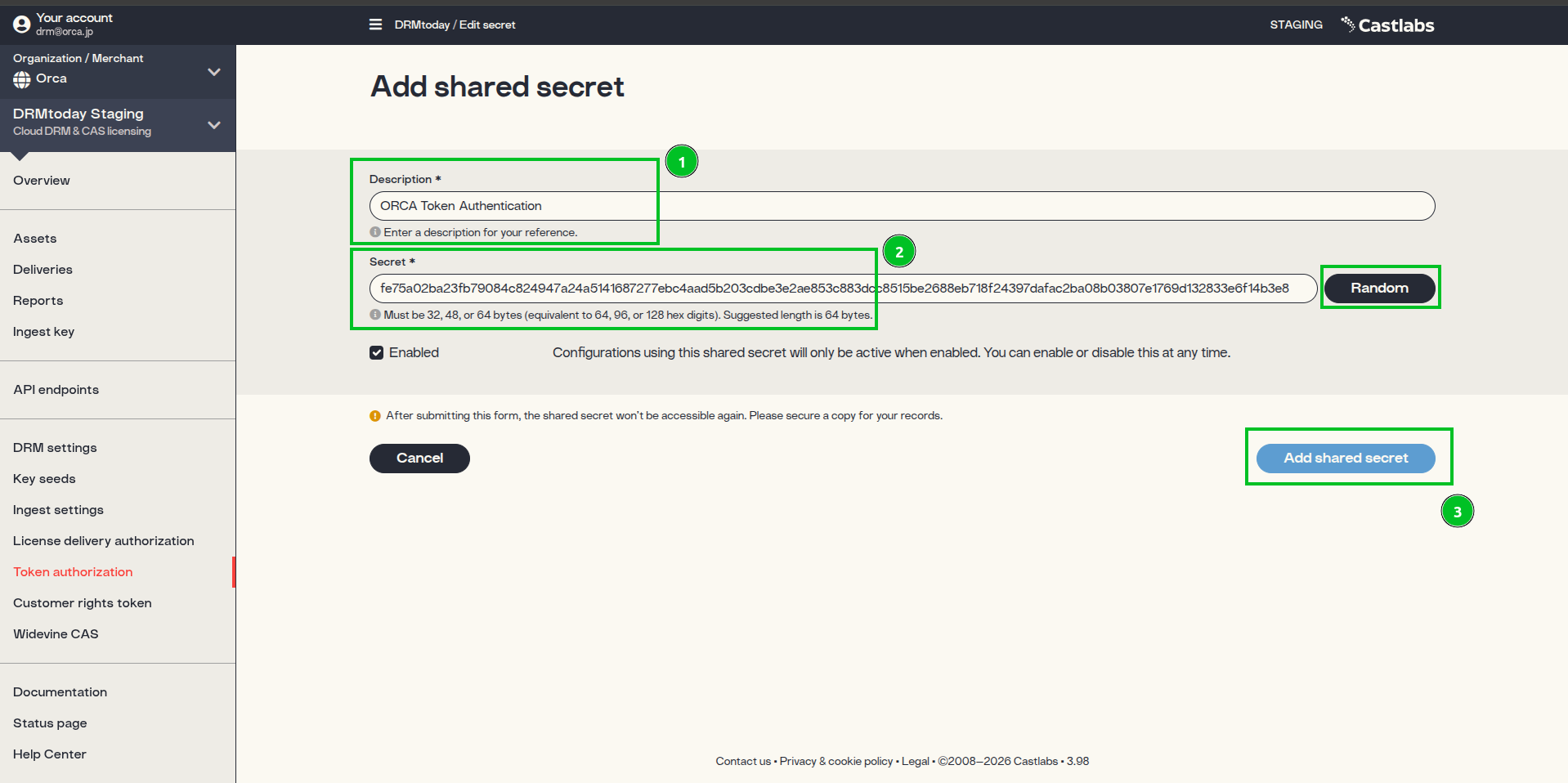
Click Add shared secret + and complete the form:
Enter a Description for your reference.
Specify a key with 64, 96, or 128 hex characters in the Secret field
(32, 48, or 64 bytes). Use the Random button to generate one.
Important: After submitting the form, the shared secret value is not
shown again. Copy SHARED_SECRET_HEX before saving. Never commit shared
secrets to source control — store them in environment variables or a secrets manager.
Copy values for your backend
Store these environment variables on your server:
ID (from the shared secrets table) → SHARED_SECRET_KID
Secret (hex) (saved at creation time) → SHARED_SECRET_HEX
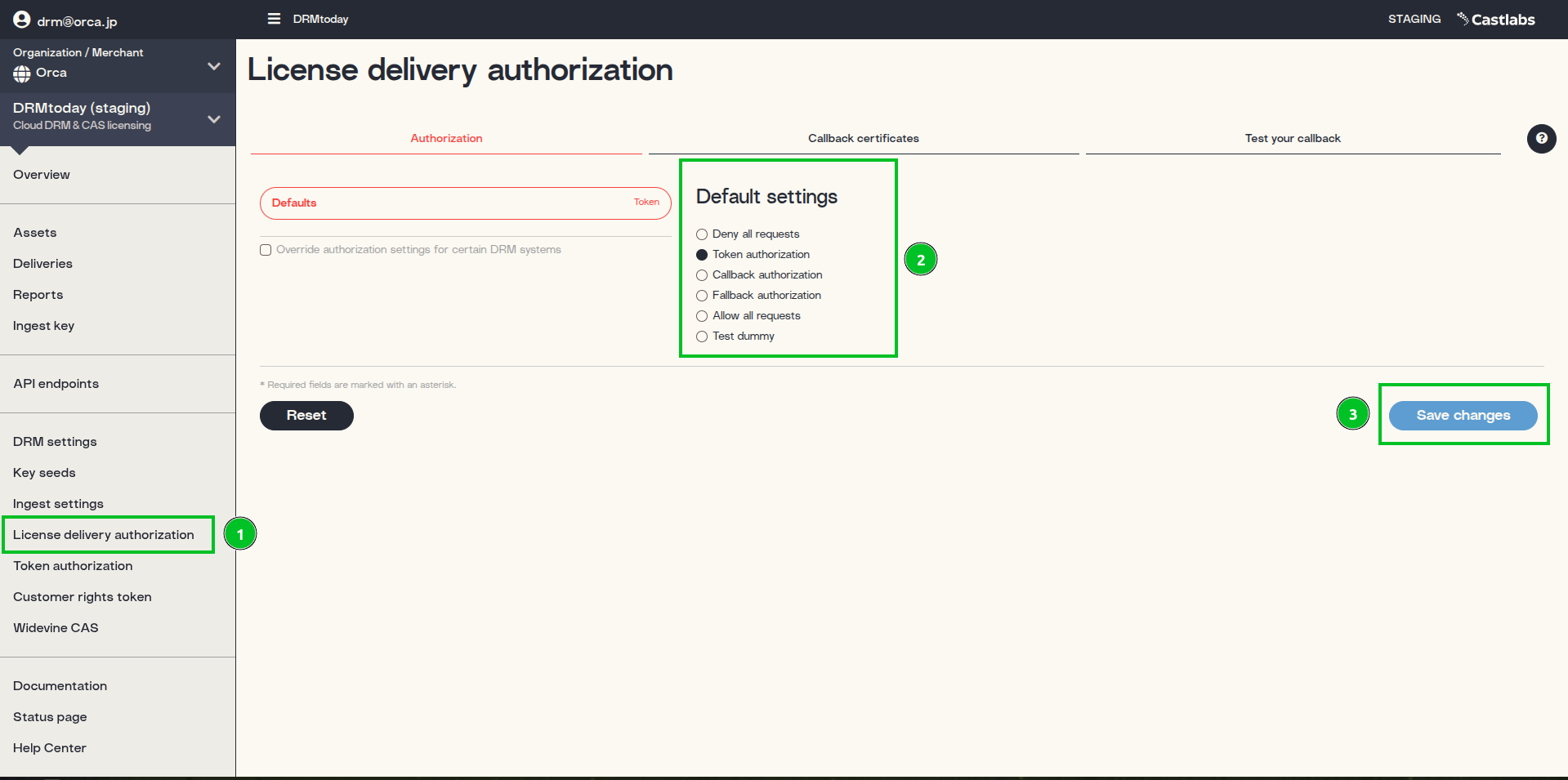
Enable Token Authorization
After registering a shared secret, switch your organization's license delivery mode to
Token authorization (UPFRONT). You can do this through the
CastLab GUI or by calling the DRMtoday REST API directly.
After enabling Token Authorization:
Players must include a valid JWT in x-dt-auth-token on license requests.
The License delivery authorization panel should show
TOKEN as the current active method.
Enter an Asset ID matching your packaged content (e.g.
CPIX-test) and click Load Video.
Confirm drmConfig headers
In the Player Options panel, verify that drmConfig includes
licenseHeaders with x-dt-auth-token — this confirms your
backend successfully issued and attached the signed JWT.